

What Do the Button Symbols Mean in Your GMC Truck?
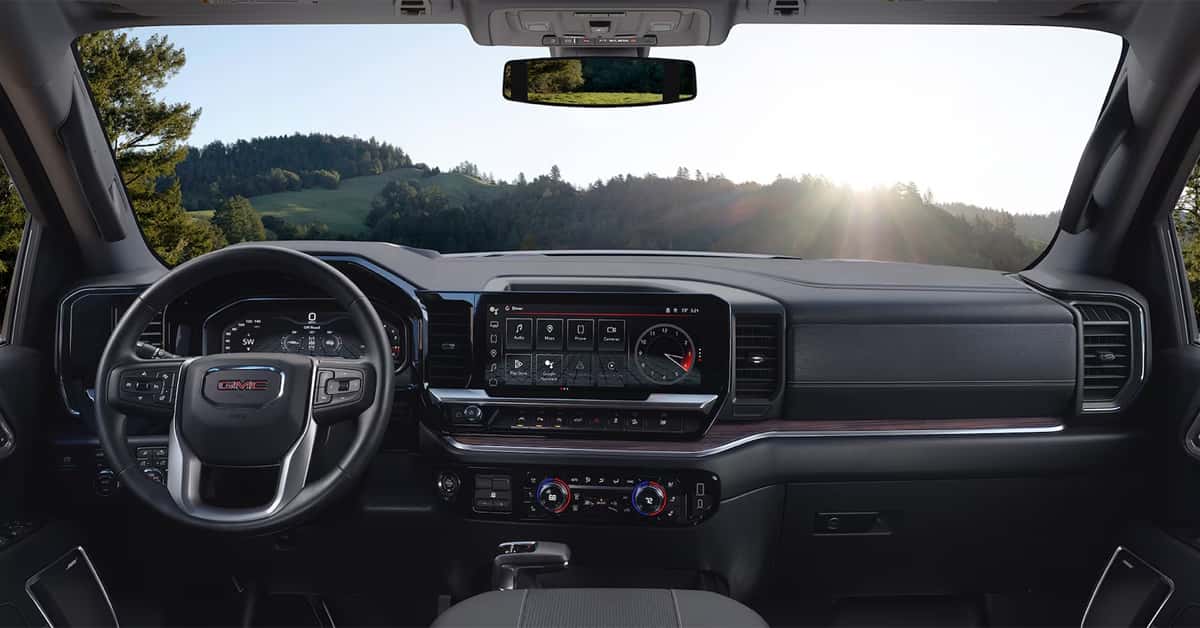
Every button and symbol in your GMC truck has a purpose—and understanding them can make every drive safer, smoother, and more intuitive. From headlight switches and tow/haul icons to terrain modes and traction control, these symbols are your truck’s way of communicating vital information about performance, safety, and capability. Knowing what each dashboard light and switch means helps you take full advantage of your 2026 Sierra 1500, Canyon, Sierra 2500, or Sierra EV.
In this guide, you’ll find clear explanations of the most common GMC dash switches and controls. Learn how to read your lighting, driving mode, and safety indicators, and gain insight into specialized features designed for towing, off-roading, and electric driving. Whether you’re new to the GMC lineup or a longtime truck owner, this comprehensive GMC icon guide will help you navigate every symbol on your dashboard with ease.
At Magic GMC, we’re proud to support drivers across Fillmore, Simi Valley, Moorpark, and Santa Paula with all their automotive needs. From helping you choose the perfect GMC truck to providing professional service, maintenance, and genuine parts, our team is here to make every ownership experience exceptional. Have questions about your truck’s features or ready to explore the new and used GMC models? Contact Magic GMC or visit us today—we’re always ready to help you drive with confidence.
How Do Exterior Lamp Controls Work in Your GMC Truck?
Lighting is one of the first things drivers notice when they step into a modern GMC truck. Whether it’s a Sierra 1500, Canyon, Sierra 2500, or Sierra EV, knowing what each lighting button or symbol means helps you drive with confidence day or night. Understanding the basics is an important part of any gmc dash switches explanation and gives you a quick gm truck controls reference for safe driving. Most trucks feature a simple knob or switch that controls your exterior lamps.
Each icon on that switch has a clear purpose:
- Headlight symbol (a lamp with beams): turns on the main headlights.
- Taillight or parking light symbol: powers the rear and side lights.
- Fog light symbol (a lamp with a wavy line): improves visibility in fog, rain, or dust.
Some models, like the Sierra 2500 or Canyon, include automatic lighting controls that sense darkness and turn on the lights for you. Others, such as the Sierra EV, may use digital buttons that illuminate when active. These small icons are easy to miss, but each one plays a key role in safe night driving.
Here’s a quick way to remember what each lighting control does:
- Turn the knob clockwise for more lights (from off → parking → headlights).
- Pull or push for fog lights if equipped.
- Look for matching icons on your dash to confirm which lights are on.
If you’ve ever wondered what do button symbols mean gmc truck 2025 or needed a fast gmc icon guide, start with your lighting controls. They set the foundation for learning how your truck’s switches and systems work together to keep every drive safe and clear.
What Do the Drive Mode and Terrain Buttons Control?
Drive mode and terrain buttons let you fine-tune how your GMC truck handles the road. Whether you’re driving a Sierra 1500, Canyon, Sierra 2500, or Sierra EV, these buttons adjust power, traction, and handling to match the conditions ahead. They make your truck more responsive and efficient, giving you control with a simple turn of a knob or press of a button. Each mode is built for a different type of drive.
You’ll often find icons or words like:
- Normal Mode – For daily driving and balanced performance.
- Sport Mode – Tightens steering and quickens throttle response.
- Tow/Haul Mode – Improves power and shifting when towing or carrying heavy loads.
- Off-Road or Terrain Modes – Adjusts traction and throttle for dirt, sand, or rocky trails.
- Snow or Ice Mode – Reduces wheel spin on slick roads.
Many of these symbols appear as part of the gmc dash switches explanation in your truck’s manual, but it helps to know them on sight. The gm truck controls reference in your instrument cluster or infotainment screen may also show an icon that changes with each mode.
Some models, like the Sierra EV, even use digital mode selectors with touch-based controls. Others, such as the Sierra 2500, have physical dials near the gear shift for quick access. No matter the setup, the system is built for ease of use and clear feedback.
If you’ve ever asked yourself what do button symbols mean gmc truck 2025, the drive mode icons are a great place to start. They’re one of the most helpful features in any modern GMC and a key part of any gmc icon guide that helps drivers get the best out of their trucks.
How Do You Use Four-Wheel Drive and All-Wheel Drive Controls?
Four-wheel drive and all-wheel drive systems give your GMC truck the grip and balance it needs for tough roads. Knowing how to use these controls helps you stay safe on trails, gravel, or wet pavement. Whether you drive a Sierra 1500, Canyon, Sierra 2500, or Sierra EV, the setup is built to make switching between drive modes quick and easy. Most GMC trucks use a knob or set of buttons labeled with simple terms or icons.
These are common settings you may see:
- 2H (Two-Wheel High) – Uses rear wheels only; best for normal, dry roads.
- 4H (Four-Wheel High) – Sends power to all four wheels for slippery or uneven surfaces.
- 4L (Four-Wheel Low) – Delivers maximum power at low speeds for deep mud or steep climbs.
- Auto (if equipped) – The truck automatically adjusts power between front and rear wheels as needed.
Many models also display these settings on the dash or screen. This gives you a clear gmc dash switches explanation and helps you confirm which mode is active. Some trucks, like the Sierra EV, may even show a visual icon on the display to signal changes in traction.
If you’re not sure what each symbol means, your gm truck controls reference in the owner’s manual or infotainment system can help. But once you know what the icons stand for, it becomes second nature to switch between modes.
Drivers who wonder what do button symbols mean gmc truck 2025 will find that four-wheel and all-wheel drive icons are some of the most useful. They are also key parts of any gmc icon guide, helping you get the best performance from your truck in any condition.
What Does the Parking Brake and Auto Hold Button Do?
Modern GMC trucks make stopping and parking simple with electronic parking brake and Auto Hold features. These systems replace the old hand brake with a clean button design that saves space and adds control. Whether you’re in a Sierra 1500, Canyon, Sierra 2500, or Sierra EV, these buttons help make city and hill driving easier and safer.
The parking brake button is easy to spot. It usually shows a “P” inside a circle or a set of brackets. When pressed, it locks the wheels to keep your truck from rolling while parked. To release it, press the brake pedal and push the same button again.
The Auto Hold button is often near the gear selector. When turned on, it holds the brakes automatically when you stop at a light or in traffic. Once you press the gas pedal, it releases without you needing to touch the brake again. This feature is useful for stop-and-go driving or steep roads.
Here’s a quick way to remember what each button does:
- Parking Brake: Keeps the truck still when parked or stopped on a slope.
- Auto Hold: Holds the brake at a full stop until you move again.
These features are explained in more detail in your gm truck controls reference, but they’re easy to learn by sight using a gmc icon guide. If you’ve ever wondered what do button symbols mean gmc truck 2025, the “P” and “Auto Hold” icons are great examples of how GMC keeps control simple, safe, and smart.
What Does the Traction Control Symbol Mean on GMC Trucks?
The traction control symbol is one of the most common icons you’ll see on a GMC truck’s dashboard. It usually looks like a car with squiggly lines under it. This light lets you know when your truck’s traction control or stability system is active. It’s there to help you keep control on slick, loose, or uneven roads.
When the light flashes, the system is working to reduce wheel spin. It may gently apply the brakes or lower engine power to keep the tires gripping the road. If the light stays on, it could mean the system is turned off or needs attention. You can press the traction control button—usually near the gear shifter—to turn it back on when needed.
Here’s a quick guide to what the light might mean:
- Light flashes: The system is active and helping to maintain traction.
- Light stays on: Traction control is off or there may be an issue.
- Light off: The system is on standby, ready to engage when needed.
The Sierra 1500, Canyon, Sierra 2500, and Sierra EV each use this feature to keep drivers steady, especially on wet or icy roads. The symbol and switch placement may vary slightly between models, but the function is the same. If you’ve ever asked yourself what do button symbols mean gmc truck 2025, this is one of the most useful to learn. The traction control icon is a key part of any gmc dash switches explanation or gm truck controls reference, and it’s highlighted in most gmc icon guide materials to help you understand exactly when and why it lights up.
Frequently Asked Questions About GMC Truck Button Symbols
Which dashboard or steering wheel buttons are commonly confusing in a GMC truck?
The most commonly confusing buttons are those for drive modes, traction control, and Auto Hold. Icons for Tow/Haul mode (often shown as a trailer) and 4WD controls can also cause confusion since they vary by trim and package.
Does the owner’s manual list all the possible symbols for various packages?
Yes. The owner’s manual provides a complete list of symbols and descriptions for every trim level and package, including off-road or towing options. Some symbols may only appear if your truck has that specific feature installed.
How do I identify toggles for off-road features or special towing modes?
Toggles for off-road or towing modes are usually found near the drive mode selector or gear shift area. Look for icons like a mountain, trailer, or terrain symbol. These are often grouped together and labeled clearly on the display screen when selected.
Are any of these button symbols universal or brand-specific?
Many basic icons, such as headlights, fog lights, and traction control, are universal across brands. However, drive mode and towing symbols can be brand-specific, especially in GMC trucks like the Sierra 1500, Canyon, Sierra 2500, and Sierra EV, which use GMC’s own icon and system design.
Learn More About Your GMC Truck at Magic GMC
Understanding your GMC truck’s button symbols helps you drive with more confidence and control. Each icon and switch plays an important role in keeping your Sierra or Canyon running at its best. Knowing what these controls mean ensures you’re using your truck to its full potential every time you hit the road.
If you still have questions about the dashboard or steering wheel buttons in your GMC truck, our team at Magic GMC is here to help. We’re happy to explain how each feature works, whether you drive a Sierra 1500, Canyon, Sierra 2500, or the new Sierra EV.
Drivers from Fillmore, Simi Valley, Moorpark, and Santa Paula are invited to visit our dealership to explore our wide selection of new and used GMC vehicles. Stop by or contact Magic GMC today to learn more about what the button symbols in your truck mean and how to make the most of every feature.
Get Directions to Magic GMC
Disclaimer: All information is provided for general informational and entertainment purposes only. While we strive for accuracy, we cannot guarantee that all content is complete, current, or error-free. Any reliance you place on such information is strictly at your own risk. This article may include opinions and is not endorsed by, or officially affiliated with, any vehicle manufacturer or brand. Always consult official sources – such as the vehicle’s owner’s manual, authorized dealerships, or certified professionals – for the most up-to-date and personalized information.
0 comment(s) so far on What Do the Button Symbols Mean in Your GMC Truck?