


How to Use the Stereo in Your GMC Sierra 2500’s Truck Bed
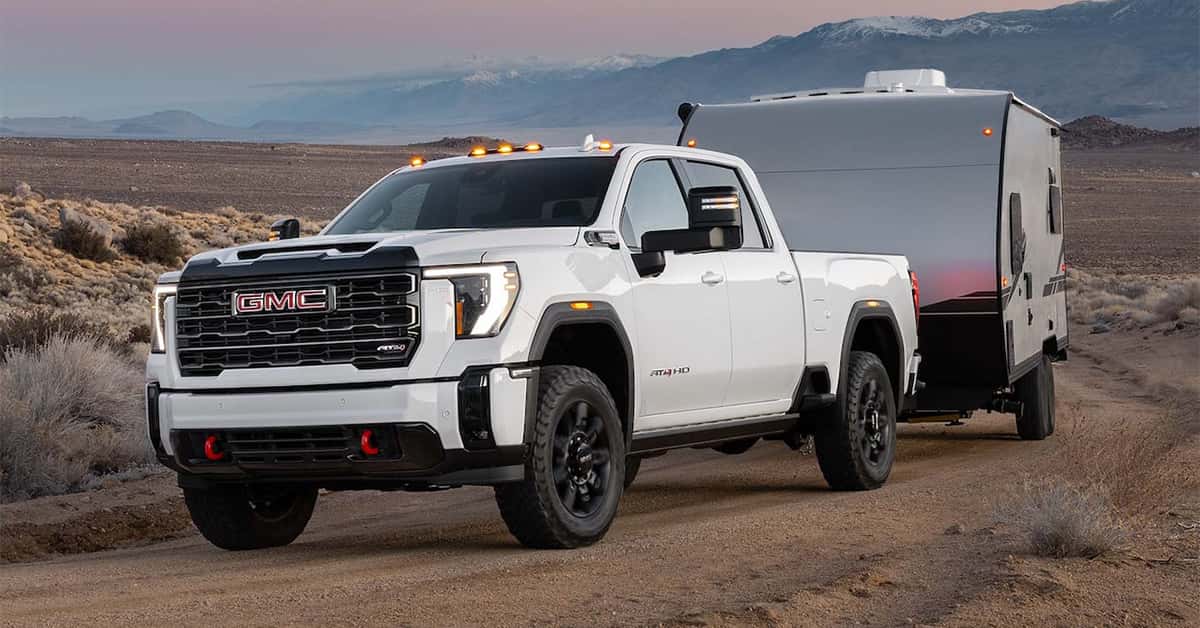
Enjoying your favorite music from the comfort of your truck bed is simple when you know how to use the stereo in your GMC Sierra 2500. By powering on the right mode, selecting your preferred audio source, and fine-tuning the sound through the infotainment or bed controls, you can bring premium audio to your outdoor gatherings. From tailgates to campsite cookouts, the Sierra 2500’s external bed audio system turns every stop into an instant entertainment zone.
The key to unlocking this experience lies in understanding how the Sierra 2500 bed speaker system works. With seamless connectivity, durable components, and intuitive controls, the truck bed stereo transforms the way you enjoy GM bed entertainment on the go. Whether you stream music through Bluetooth, play through the infotainment, or connect directly at the tailgate, your Sierra 2500 gives you the power to set the perfect soundtrack for any moment.
At Magic GMC, we’re proud to serve drivers across Fillmore, Simi Valley, Moorpark, and Santa Paula with expert guidance and personalized care. From sales and service to parts and maintenance, our team is dedicated to helping you make the most of your GMC. Visit or contact Magic GMC today and explore our wide selection of new and used vehicles. We’re here to keep your truck running strong and your adventures sounding better than ever.
Step 1: Turn on the truck (or put it in ACC)
Before enjoying music through your Sierra 2500 bed speaker system, make sure your truck has power. The system only works when the vehicle is turned on or in the correct accessory mode. This step ensures that every part of the external bed audio GMC setup receives the energy it needs to play sound clearly.
To begin:
- Insert the key and turn it to the RUN or ACCESSORY (ACC) position.
- If your truck has a push-button start, press ENGINE START/STOP without stepping on the brake to enter accessory mode.
- Wait for the dashboard and infotainment screen to light up — this confirms that power is active.
If you’re unsure, start the engine for a moment to make sure all audio circuits are live. Some newer trims of the GMC Sierra 2500 require full ignition before powering external ports or zones. This step guarantees that your GM bed entertainment system will respond as it should.
When the power is on, you’re ready to connect to your favorite audio source — whether that’s the infotainment system, Bluetooth, or an AUX port near the tailgate. Keeping this process simple and consistent makes it easy to remember how to use the stereo in your GMC Sierra 2500 truck bed 2025 anytime you want music outside the cab.
Step 2: Choose the audio source
Once your truck is powered on, the next step is to pick how you want to play your music. The Sierra 2500 bed speaker system gives you a few simple ways to send sound to the back of your truck. You can use the infotainment screen, Bluetooth on your phone, or the tailgate controls if your model has them. Each method connects easily and helps you make the most of your GM bed entertainment setup.
Using the Infotainment System (Recommended):
- Tap the Audio or Media icon on your center screen.
- Choose your sound source, such as radio, USB, or Bluetooth.
- Look for a zone labeled Bed, Cargo, or Rear Speakers.
- Start your music, then adjust the volume using the screen or main knob.
This method keeps everything in one place and lets you control all sound zones from the driver’s seat. It’s the easiest way to manage your external bed audio GMC features while keeping full control of playback.
Using Bluetooth on Your Phone:
- Go to Settings – Phone – Pair Device on the infotainment screen.
- On your phone, select your truck’s name and finish pairing.
- Once connected, start playing music from your phone.
- Switch the source on the infotainment to the Bed or Cargo zone if needed.
- Bluetooth is a great choice when you want wireless control or plan to share playlists with friends.
Using Tailgate or Bed Controls (if equipped) Some trims of the GMC Sierra 2500 come with a small panel near the tailgate. It may include buttons, dials, or an AUX input.
- Plug in your device or turn on the bed switch.
- Start your music and adjust sound as needed.
Choosing your source is key to learning how to use the stereo in your GMC Sierra 2500 truck bed 2025. Once you find the option that fits your setup best, you’ll enjoy smooth, high-quality sound wherever your day takes you.
Step 3: Adjust volume and balance
Once your music starts playing, take a moment to fine-tune your sound. The GMC Sierra 2500 bed speaker system gives you flexible control over volume and balance, so your music sounds clear from every angle. Whether you’re using the infotainment screen or the physical knobs, it only takes a few quick steps to set the perfect mix.
To adjust the main volume:
- Use the main radio knob or steering wheel buttons to set your base level.
- Make sure your phone or media device volume is turned up as well.
- If you hear weak sound, raise both the source volume and truck volume together.
To adjust the bed speaker balance:
- On the infotainment screen, look for Audio Settings or Sound Settings.
- Find the Balance/Fade option and move the slider toward Rear or Bed to shift sound to the back.
- Some trims include a Bed Volume or Cargo Zone control — use this to fine-tune the external bed audio GMC output.
The goal is to create smooth, even sound between the cab and the bed. With GM bed entertainment, the Sierra makes it easy to tailor the mix for any setup — from a quiet camp evening to a lively tailgate.
Knowing how to use the stereo in your GMC Sierra 2500 truck bed 2025 means more than just turning up the music. It’s about finding the right balance for every moment, so your sound stays strong, rich, and ready wherever your truck takes you.
Pairing a Second Device to Play Music in Your GMC Truck Bed
If more than one person wants to share music, the Sierra 2500 bed speaker system makes it easy. Many models let you pair a second Bluetooth device, so two people can connect without needing to switch cables or settings each time. This feature adds flexibility when using your external bed audio GMC setup during tailgates, camping trips, or family events.
To pair a second device:
- Open the Settings menu on your infotainment screen.
- Tap Phone or Bluetooth, then choose Add Device.
- On the second phone, go to Bluetooth settings and select your truck’s name.
- Confirm the pairing code shown on the screen.
Once both phones are connected, you can manage who plays music or handles calls. Some trims of the GMC Sierra 2500 allow one phone for audio streaming and another for calls, keeping everything smooth and easy to control.
If you have trouble pairing, try deleting old devices or restarting your phones. The system remembers your last paired devices, which can sometimes block a new connection. Knowing how to use the stereo in your GMC Sierra 2500 truck bed 2025 this way gives you more control over your GM bed entertainment experience and makes sharing music with friends simple and fun.
Battery & Safety Tips
When using the Sierra 2500 bed speaker system, it’s important to think about power use and safety. The external bed audio GMC setup draws energy from your truck’s battery, so managing it the right way helps you enjoy music longer and avoid issues later.
To keep your battery strong:
- Avoid playing loud music for long periods while the engine is off.
- If you plan a long tailgate or campout, start the truck every so often to recharge the battery.
- Turn off the bed speakers and infotainment system when you’re done using them.
- Keep Bluetooth disconnected when not in use — it can still draw small amounts of power.
For safe listening and care:
- Keep the volume at a level where you can still hear people or traffic nearby.
- Secure coolers, tools, or loose items in the bed so they don’t rattle against speakers.
- Check that speaker grilles stay clean and dry for clear sound.
- Avoid using the GM bed entertainment system in deep water or heavy rain unless your truck is built for it.
These habits protect both your truck and your sound system. Knowing how to use the stereo in your GMC Sierra 2500 truck bed 2025 the right way helps keep your GM bed entertainment system working like new — ready for every outdoor moment your Sierra 2500 takes on.
Troubleshooting Audio Issues in Your Truck Bed
If the sound in your Sierra 2500 truck bed speakers cuts out or won’t turn on, it’s usually an easy fix. First, check the power connection and make sure your truck’s ignition is on. The bed stereo system only works when the truck is in accessory or running mode. If it still won’t turn on, inspect the fuse panel to see if a fuse has blown. Replacing a damaged fuse can often solve the issue right away.
If you notice distorted or weak sound, the cause might be a loose or wet connection. Check the speaker terminals and wiring around the bed area. Because the external bed audio GMC system is built for outdoor use, dust or moisture can still create issues over time. Wipe the connections clean and make sure everything fits tightly. Avoid using high-pressure water near the speakers when washing your truck.
If you’ve checked everything and the problem remains, try these quick steps:
- Restart the truck’s infotainment system to reset the GM bed entertainment setup.
- Check Bluetooth or wired connections for pairing errors.
- Make sure the volume on both the main console and the bed controls are not muted.
If these steps don’t help, your Sierra 2500 bed speaker system may need service from a qualified technician. Routine checks keep your system sounding great for years to come.
When Is it Time to Check Our Your Owners Manual?
The owner’s manual is your best guide when you run into questions about your truck’s audio system. It offers step-by-step help for settings, maintenance, and troubleshooting that may not be obvious at first glance. If you’re unsure how to use the stereo in your Sierra 2500 truck bed, the manual walks you through the process clearly.
There are times when checking the manual can save you time and stress. You should turn to it if:
- The sound from the external bed audio cuts in and out.
- You can’t connect your phone or device to the GM bed entertainment system.
- The Sierra 2500 bed speaker system isn’t responding to touch or button controls.
- You see warning lights or messages related to the truck’s electrical system.
The manual also explains how different features work together. For example, it notes how power settings and ignition modes affect the bed stereo. It can also help you locate fuse boxes and learn how to safely replace components if needed.
Keeping the manual in your truck is always smart. It gives you trusted information straight from GMC, so you can handle small issues on your own before visiting a technician. Frequently Asked Questions About the Sierra 2500 Truck Bed Stereo System
Does the 2025 Sierra 2500 come with built-in speakers in the truck bed?
Yes, select trims of the 2025 Sierra 2500 offer an available external bed audio system as part of GMC’s MultiPro Tailgate Audio System by Kicker. This feature is typically included or available as an option on higher trims or special packages and is designed to provide clear sound directly from the tailgate area.
How do I connect my phone or audio device to the truck bed stereo system?
You can connect your phone or device using Bluetooth or a compatible wired connection, depending on your truck’s configuration. After activating the GM bed entertainment system, go to your phone’s Bluetooth settings, select the Sierra 2500 system, and confirm the pairing code. Once connected, you can control playback using the tailgate controls or the main infotainment screen.
Are there weatherproof or protective measures for bed audio components?
Yes, the Sierra 2500 bed speaker system is built with weather-resistant materials. The components are sealed against moisture, dust, and light debris, allowing you to enjoy sound outdoors without worrying about damage from normal exposure. However, it’s still a good idea to avoid high-pressure washes or submersion near the speaker area.
Can I play different audio inside the cab vs. in the bed simultaneously?
In most cases, yes. The truck allows you to manage separate audio zones. This means you can listen to one source inside the cab while the external bed audio plays another. The control settings for this are located in the infotainment menu, where you can adjust volume and source independently for each area.
Turn Up the Excitement at Magic GMC
If you want to get the most from your truck bed stereo, Magic GMC is here to help. Our team can show you how to use every feature of your GMC Sierra 2500, including the bed speaker system and other advanced tools built for your next adventure.
Drivers from Fillmore, Simi Valley, Moorpark, and Santa Paula are welcome to call us or stop by and learn more in person. We’ll help you set up your audio system, pair your devices, and understand how to adjust the sound to fit any outdoor moment.
While you’re here, take a look at our wide selection of new and used GMC vehicles, including the powerful Sierra 2500. Whether you’re ready to upgrade or just exploring your options, Magic GMC makes it easy to find the right truck for your needs.
Get Directions to Magic GMC
Disclaimer: All information is provided for general informational and entertainment purposes only. While we strive for accuracy, we cannot guarantee that all content is complete, current, or error-free. Any reliance you place on such information is strictly at your own risk. This article may include opinions and is not endorsed by, or officially affiliated with, any vehicle manufacturer or brand. Always consult official sources – such as the vehicle’s owner’s manual, authorized dealerships, or certified professionals – for the most up-to-date and personalized information.
0 comment(s) so far on How to Use the Stereo in Your GMC Sierra 2500’s Truck Bed